In the fast-paced world of trade services, a contractor’s speed to lead determines their success. If a potential client requests a quote for a commercial or residential painting job and you take hours to reply, they have already moved on to your competitor. This is where modern automation steps in. By implementing an ai lead generation automation painting trade business workflow, painting companies can capture, qualify, and schedule leads 24/7 without lifting a finger.
For automation hubs like Auraautomate.com, setting up this exact system for clients is the ultimate way to showcase the power of artificial intelligence in traditional industries. Here is a comprehensive, deep-dive guide on how to build and deploy this exact workflow from scratch.
Why Painting Businesses Need an AI Automation Workflow
Traditional lead generation methods leak money every single day. Painters are usually on-site, hanging on ladders, prepping walls, or managing crews—not sitting in front of a laptop waiting for contact form submissions or checking their email inbox.
An automated ai lead generation automation painting trade business workflow solves three massive pain points that plague the trade industry:
- Instant Response Times: AI doesn’t sleep, take lunch breaks, or go off-grid during weekends. It engages incoming leads within seconds of submission, ensuring your business wins the “speed-to-lead” race every single time.
- Zero Wasted Time on Low-Value Leads: The system filters out people looking for cheap, unrealistic quotes (like a $100 full-house painting job) before they ever get a chance to take up a slot on your estimator’s calendar.
- Seamless Scaling: Whether your marketing campaigns pull in 5 leads a day or 50 leads a day, the backend automation architecture handles the traffic effortlessly without requiring you to hire extra administrative staff.
The Core Architecture of the Workflow
To make this workflow operational and reliable, you need to connect your frontend lead capture sources to a centralized AI engine, and then link that engine directly to your CRM and scheduling infrastructure.
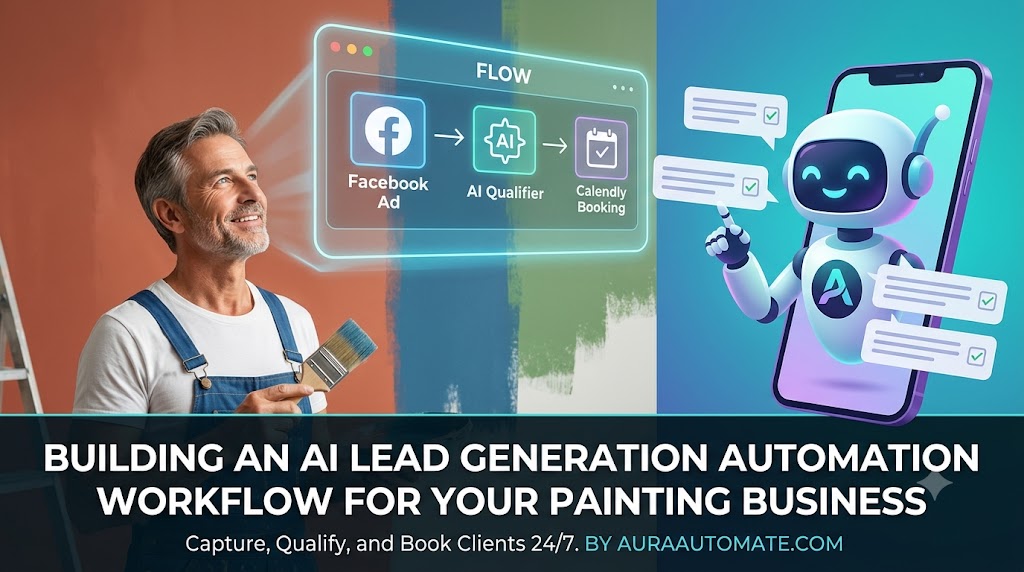
[Lead Source] ➔ [Webhook/Automation Engine] ➔ [AI Qualification Engine] ➔ [CRM & Auto-Booking]
Let’s break down each phase of this multi-step architecture so you can build it seamlessly.
Step 1: The Lead Capture Trigger
The system is set into motion the exact millisecond a homeowner, landlord, or commercial property manager submits their contact details. In a standard setup, this data originates from:
- Meta Lead Ads: High-converting forms built directly into Facebook and Instagram ad campaigns.
- Google Local Services Ads (LSA): Direct local inbound requests from high-intent local searchers.
- Website Forms: Standard contact forms on your agency or client website, ideally built with custom tools like Webflow, WordPress, or Elementor.
Step 2: Inbound Data Parsing via Webhooks
Once the form is submitted, the raw data needs a bridge to travel across. Using an integration platform like Make.com or Zapier, you set up an instant Webhook trigger. This web scraper or data catcher instantly extracts the lead’s name, phone number, email address, and their initial project description.
Step 3: AI Lead Qualification (The Brains)
Once the data enters the system, it shouldn’t just sit in a spreadsheet. It is immediately passed via API to an advanced AI model (such as OpenAI’s GPT-4o or Anthropic’s Claude).
Instead of a human reading the form text, the AI evaluates the project text or initiates an immediate, interactive two-way text/WhatsApp conversation to extract critical qualifying variables. The AI is specifically instructed to uncover:
- Property Scope: What is the total estimated square footage of the property or the number of rooms?
- Project Type: Is it a simple interior wall refresh, a complex cabinet refinishing project, or a massive exterior commercial painting job?
- Timeline and Urgency: Do they need it done next week, or are they just gathering rough budget ideas for next year?
- Budget Alignment: Are their expectations aligned with professional contractor rates?
Step 4: Automated Scheduling & High-Value Booking
If the AI analyzes the data and confirms that the lead matches the painting contractor’s exact ideal client profile (ICP), the ai lead generation automation painting trade business workflow automatically triggers the next phase.
It deploys a personalized, automated SMS message or email containing a direct scheduling link (using Calendly, HubSpot Meetings, or tidyCal). The user can immediately book an on-site walkthrough estimation slot, locking them into the sales pipeline before they look elsewhere.
The Ultimate Blueprint: System Prompts for Your AI Engine
If you are configuring this system inside Make.com or Zapier using the OpenAI module, the prompt engineering needs to be flawless. Here is a production-ready system prompt you can copy and paste into your workflow configuration:
System Prompt: “You are an elite AI Virtual Assistant for a premium painting contracting company. Your job is to analyze incoming project requests and qualify them. Review the user’s input data carefully. Extract the following variables into a structured JSON output:
project_type(Interior, Exterior, Cabinets, Commercial),urgency(High, Medium, Low), andis_qualified(True/False). Mark a lead as NOT qualified if they explicitly state they want cheap work, have a budget under $500 for a large job, or are outside our operating radius. Ifis_qualifiedis True, generate a friendly, urgent SMS response inviting them to book an on-site inspection immediately using our calendar link.”
Recommended Tech Stack for Auraautomate.com Implementation
When building this solution for trade clients under the Auraautomate.com banner, we highly recommend utilizing this robust, reliable enterprise tech stack:
- Integration Middleware: Make.com (Highly preferred over Zapier for trade businesses due to its superior visual workflow mapping and cost-effective data loops).
- Artificial Intelligence Engine: OpenAI API (GPT-4o) (For high-speed processing and accurate contextual understanding of messy, typed-out human requests).
- Communication Gateway: Twilio or ManyChat (To route instant, automated SMS and WhatsApp messages directly to the client’s mobile device).
- Industry-Specific CRM: Jobber, Housecall Pro, or HubSpot (To store the newly qualified lead, track job status, and ultimately issue the final professional invoice).
Overcoming Edge Cases in Trade Automation
When deploying an ai lead generation automation painting trade business workflow, things won’t always be clean. Homeowners often type vague descriptions like “need some painting done.”
To prevent the automation from failing or booking an unnecessary slot, you must build a fallback loop. If the AI detects that critical information is missing, it should switch to “nurture mode.” Instead of sending a booking link, it commands Twilio to send a follow-up text: “Hey [Name], thanks for reaching out to us! To give you the best estimate, could you reply with whether this is an interior or exterior project?” Once the user replies, the webhook recaptures the text, passes it back to the AI, and resumes the qualification script.
Maximizing ROI: How to Monetize This Setup
For automation consultants and agencies, selling this workflow is incredibly lucrative. Instead of selling a one-time setup fee, you can package this into a monthly retainer model:
- The Setup: Charge a premium implementation fee to build the Make.com scenarios and integrate their local CRM.
- The Retainer: Charge a monthly maintenance fee to cover API costs, optimize prompts, monitor webhook uptime, and provide lead-flow analytics dashboards.
Painting contractors gladly pay a monthly fee when they realize they no longer have to spend their evenings chasing cold leads or answering spam phone calls while working on a job site.
Final Thoughts: The Future of Trade Operations
Implementing a fully functional ai lead generation automation painting trade business workflow is no longer a futuristic luxury—it is an absolute baseline requirement for trade businesses that intend to dominate their local markets. By removing administrative friction, slashing response latencies to near-zero, and filtering out bad fits automatically, your sales ecosystem works round-the-clock.
Embrace these automation systems on Auraautomate.com, deploy them across your client networks, and watch traditional service businesses transform into highly efficient, hands-free revenue machines.